New: Before the Next Thing · Guide & Practice Kit · Explore what’s inside
Pausestead

A place to pause.

For anyone
who needs
a pause.

Practical guides and reusable tools for small pauses in everyday life. A little room between tasks, at the end of work, or beyond the scroll.

Start small. Leave room for real life.

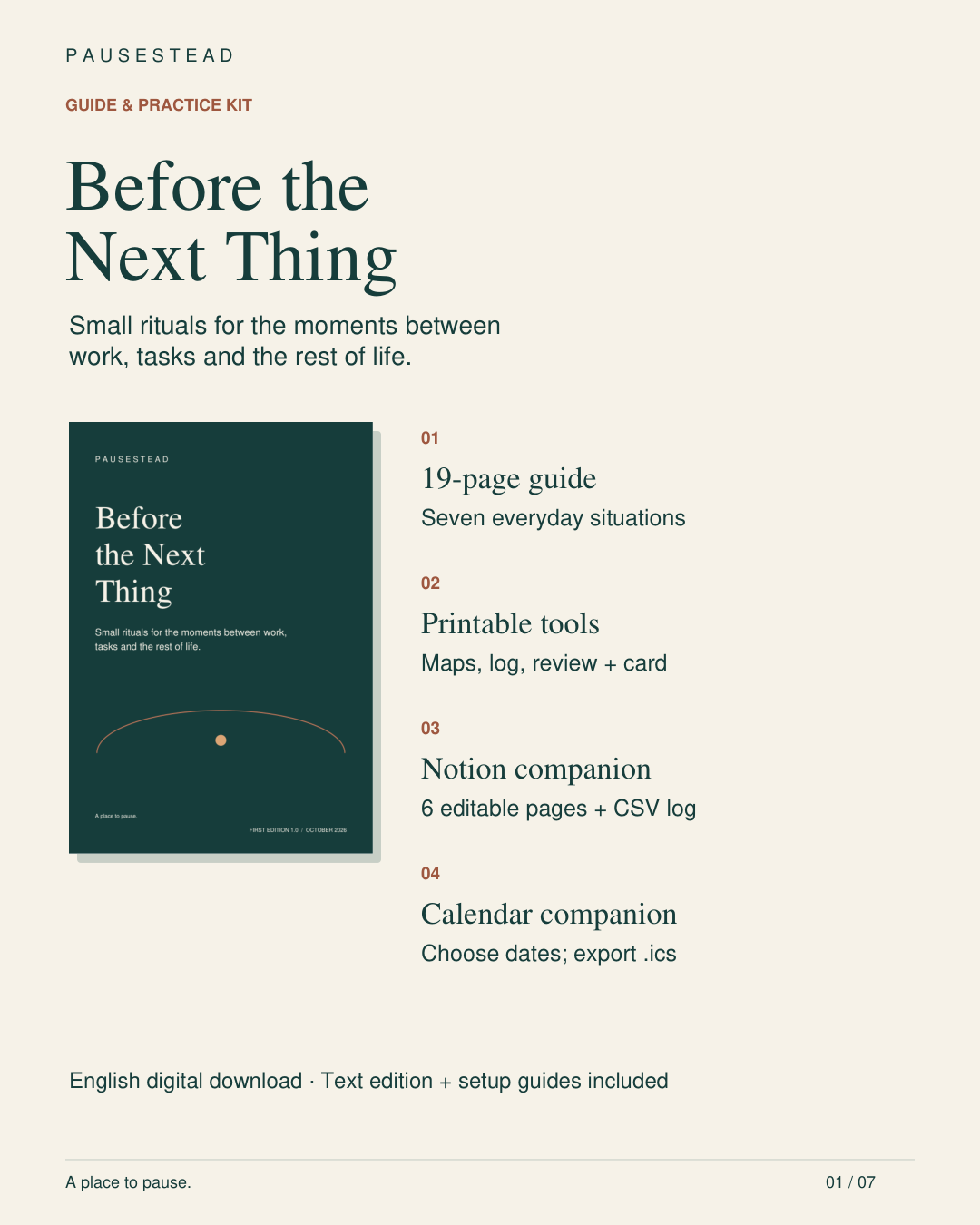
Before the Next Thing Guide & Practice Kit: a 19-page guide, printable tools, six importable Notion pages and a CSV log, and a Calendar Builder. English digital download with text edition and setup guides.
Before the Next Thing Our newest guide & practice kit

New Before the Next Thing

A little room
before what’s next.

Guide & Practice Kit

The task has changed, but you have not quite arrived at the next thing.

Small rituals for the moments between tasks, work and home, and time with other people. Use concrete examples and adaptable wording to plan an ending, a gap and an entrance. Start with one moment in your actual day.

Get Before the Next Thing

$10 USD once · Digital download · No subscription
Applicable taxes and final total shown at checkout.

View the product on Whop

Read · Write · Try

The guide & printable tools

Read the 19-page PDF or plain-text edition. The guide works on its own; use the companions when they help.

Seven everyday situations

Task switching; work to home; when someone needs you; after an interruption; before another commitment; moving into shared time; and leaving time unassigned. Includes fictional worked examples, return notes, adaptable scripts, shorter versions and troubleshooting.

Four reusable printable pages

Three transition maps on one page, a five-occasion observation log, a keep/change/drop review, and a take-away card. These are the same working pages from the guide, supplied in a separate PDF for easy reuse. Print or annotate them in your PDF reader; they are not interactive fillable forms.

Optional ways to use it

The digital companions

Included in the complete package, with Start Here and import guides. Choose the formats that fit your day.

Notion import edition

Six editable Markdown pages: Start Here, Transition Chooser, Three Transition Maps, Return Note, Shared Pause Scripts, and Keep/Change/Drop. A five-row CSV observation log is included. Import using your own Notion account on desktop or web; this is a portable file edition, not a live duplicate-template link.

Calendar Builder & event templates

Open the local HTML builder in a browser, choose your dates, and export up to five practice occasions plus one review as all-day .ics events. Dates need not be consecutive. Import instructions and copy-and-paste event templates are included. No alerts are set in the file, although your calendar’s defaults may apply. There is no automatic sync.

Setup & requirements

English-language digital files. Begin with a PDF reader or the text edition. Extract the ZIP on a computer for the easiest companion setup. The optional Calendar Builder needs a browser with JavaScript and a calendar that supports .ics imports. No third-party subscription, app access, coaching or physical items are included.

Start with one transition.

  1. After purchase, open Before the Next Thing — Your Downloads in the product’s Content area on Whop.
  2. Read one situation, write your smallest useful routine, and try it when the moment occurs.
  3. Record one observation. Keep, change or drop the practice according to what you find useful.

For the optional companions, extract the complete ZIP and begin with START-HERE.txt.

Before the Next Thing and Phone-Free Evenings are separate products. Five occasions are a convenient review sample, not a promise of habit formation.
Phone-Free Evenings · Guide & Kit

Make room for
the evening you choose.

You open your phone for a quick check. The evening moves on, and the book, quiet moment or small task you meant to make room for is still waiting.

Choose a realistic phone-away time, prepare three small actions and try a routine that fits the evening you actually have. Use a shorter version when the day runs late, then review what helped.

Purchase on Whop

$10 USD once · $8 with PAUSE20 · No subscription

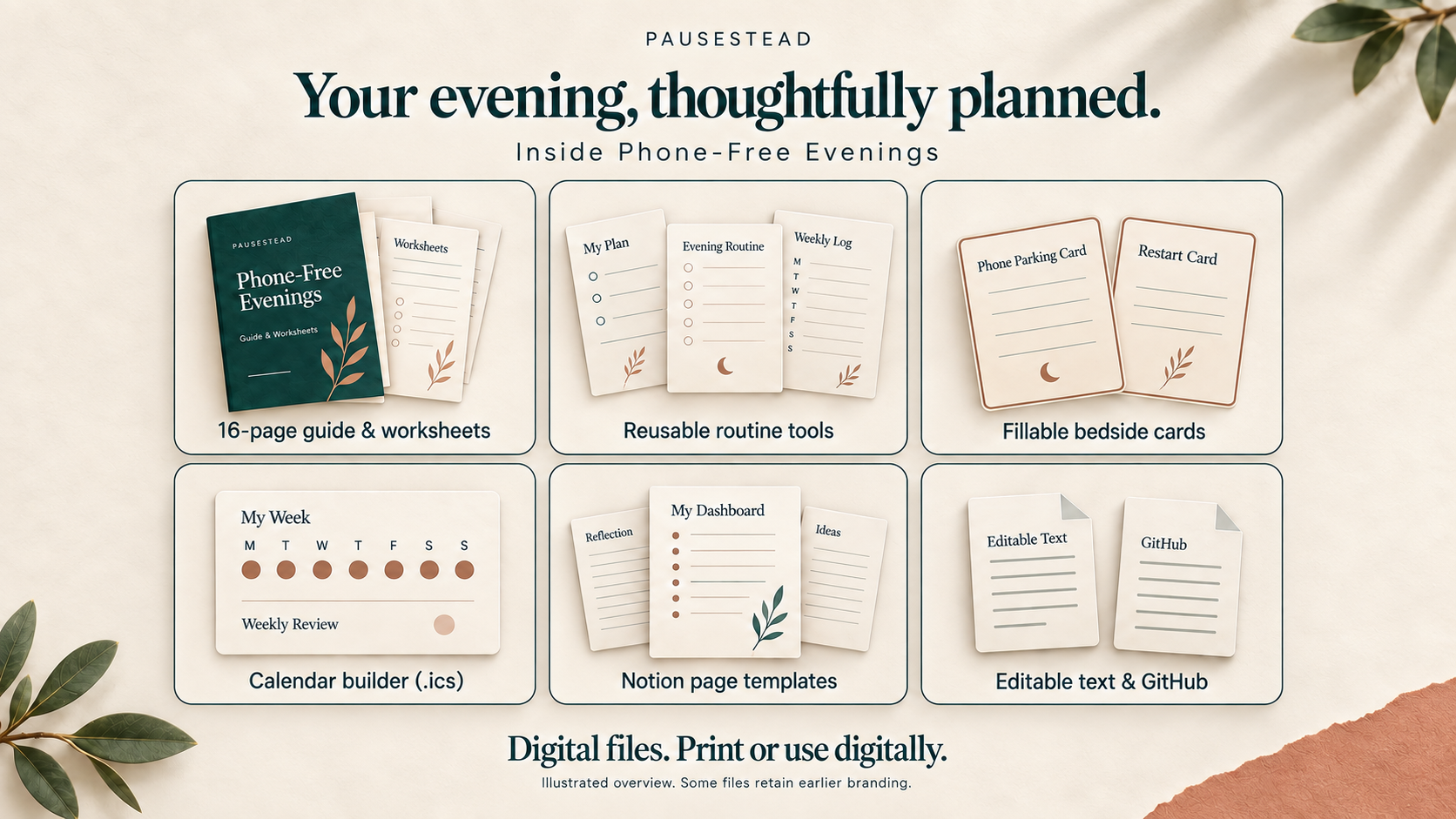
Illustrated package overview: 16-page guide and worksheets, reusable routine tools, fillable bedside cards, calendar builder, Notion page templates, and editable text and GitHub formats. Digital files only.
One kit, several ways to use it. Illustrations show the included formats; some files retain earlier branding.

Read · Print · Try

Your 16-page guide & worksheets

Start with the PDF. It brings the approach and these working pages together.

Start Here guide

Choose a cue, prepare a phone spot and find an activity you want room for.

Phone-Away Time Planner

Fit your stopping point around responsibilities and choose a backup cue.

Three-Step Routine

Write your own sequence: phone away, one preparation task, one screen-free activity.

Late-Start Routine Card

Prepare a shorter version for evenings that run late.

Seven-Evening Log

Record planned and actual times, the version you tried and one observation.

Review & Restart

Choose what to keep or adjust, then begin again after a busy stretch.

Digital Routine Template

Bring your plan, weekly record and review into one editable format.

One-Day Challenge

Prepare during the day and try one phone-free period that evening.

Choose your working format

The digital companions

Included in the Complete Kit ZIP. Use the formats that fit your life.

Fillable Bedside Cards

Eight form fields let you type your choices, then save or print the cards for your phone spot.

Calendar Builder

Choose your date, time zone and routine in the desktop HTML tool. Download seven evening events and an optional review as an .ics file. Import it into your calendar and check times and alerts; changes do not sync automatically.

Notion page templates

Import 10 editable Markdown pages for your dashboard, plan, weekly records, reviews and archive, with guides and setup notes. A Notion account and import setup are required; check the links after importing.

Editable text & GitHub edition

Use plain-text or Markdown copies to adapt the same material and keep a private record. Choose one working log across formats.

Reference notes

Consult optional device-support ideas and practical setup tips when they help.

A clear place to begin.

  1. Open Your Guide & Downloads on Whop after purchase.
  2. Read the PDF, choose a cue and write three actions.
  3. Extract the Complete Kit ZIP and open START HERE.html for optional companions.

Choose one working log. Paper is enough to begin; set up digital companions before your pause.

Digital files only. Some included files retain Actual Habit / Wind-Down branding. If you already own that edition, you do not need to buy it again.

One small place to begin

Decide what comes
after the scroll.

Choose a cue you’ll notice and three actions that fit your evening. Here’s one example to adapt.

  1. 01

    Give your phone a place.

    When your chosen cue happens, put it on a shelf or in a tray. Keep essential access available.

    “My phone goes on the kitchen shelf.”

  2. 02

    Prepare one small thing.

    Choose a task with an obvious finish. Leave what you need ready before the cue.

    “I put tomorrow’s keys by the door.”

  3. 03

    Begin something screen-free.

    Read, draw, sit quietly, or choose an activity you want room for. Keep the first step small.

    “I read two pages of my book.”

Evening ran late?

Keep the order and make the actions smaller: phone on shelf, one item ready, one paragraph. After a missed evening, begin again at your next cue.

Our approach

Useful routines have
room for real lives.

Pausestead is a home for practical guides and small routines for anyone who needs a pause. We help you turn an intention into something specific enough to try.

Choose a small action. Notice what happened. Return to the parts that help. Begin with one transition or one evening, with room to adjust as your life changes.

Begin with a small practice

A few practical details.

Is this a subscription?

No. Each kit is a separate $10 USD one-time digital purchase. PAUSE20 applies to Phone-Free Evenings only, reducing its product price to $8 USD. Whop shows any applicable taxes and your final total before you pay.

How do I receive the files?

Purchase through Whop using the link for your chosen kit. For Before the Next Thing, open its Content area and select Before the Next Thing — Your Downloads. For Phone-Free Evenings, open Your Guide & Downloads. Use the account you purchased with. Each product includes its PDF and complete package ZIP; no physical items are shipped.

Which kit should I start with?

Choose Before the Next Thing for the moments between tasks, work and home, or time with other people. Choose Phone-Free Evenings to plan a realistic phone-away time and make room for an evening activity. Each kit stands on its own.

Does phone-free mean my phone must be off?

No. Choose a boundary that fits your responsibilities. Essential calls, caregiving, accessibility needs, and other necessary phone use can remain part of your plan.

Do I need a special app or device?

Both guides work with a PDF reader, and paper is enough for the working pages. The digital companions are optional. Before the Next Thing includes Notion import files and a local Calendar Builder; setup requirements are listed in its section above.

What if I miss an evening?

Return at the next practical cue. You can use a shorter version and adjust the plan if it repeatedly clashes with your responsibilities.

Is this a sleep treatment?

No. Phone-Free Evenings is a resource for planning and observing an everyday routine. It does not promise a particular sleep outcome or permanent habit within seven days.

Start with one small pause.

A little room for
what matters to you.

Two separate guides & kits · Digital downloads · One-time purchases